
Diageo is undoubtedly a big player in the spirits markets worldwide. And this Diageo PowerPoint presentation makes that fully clear with its revenue and free cash flow numbers.

A Diageo PowerPoint Presentation Drains the Spirit
The presentation was given by Diageo chief executive Sir Dave Lewis to analysts, brokers and shareholders on 6 August 2026, presenting the preliminary results for the year ended 30 June. The webcast format for these results meetings might have some merits, though not all shareholders are supportive. It does, however, allow for a largely scripted presentation. And scripted can easily veer towards wooden.
His slide deck is template PowerPoint stuff. Template annual results stuff. Spirited, yes. But lacking in design spirit. Because it's really a document — a document to be distributed, pored over, retained and consumed. Yes, the bar charts tell a story. But the narrative isn't immediately clear from the words on the slides. There are simply too many words. Too many sentences. Presenting with such a slide deck is a tall order. It needs to be stirred up a notch.
Loading Viewer...
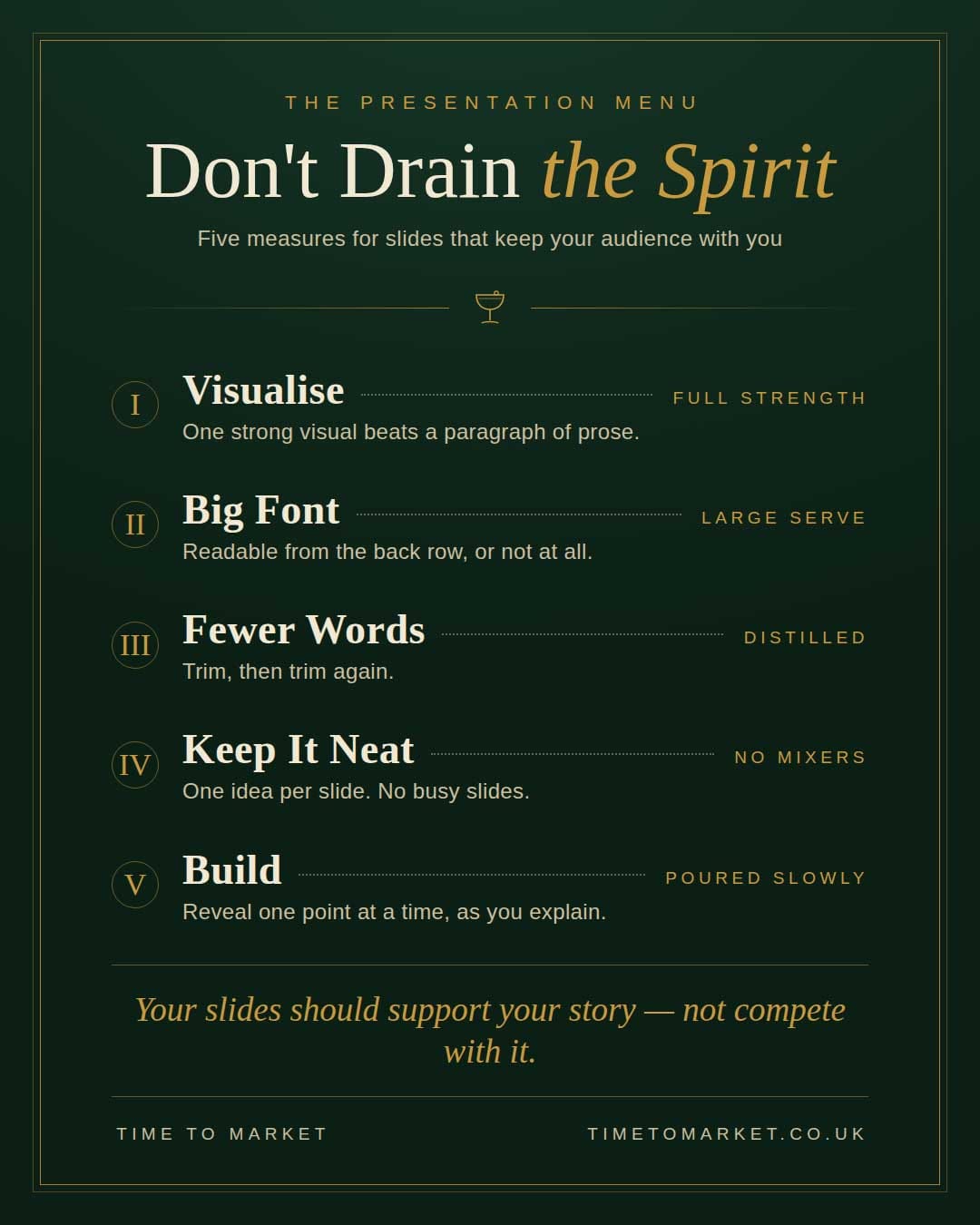
So here are five pointers for your own PowerPoint presentation that won't sap the spirit of your audience.
Top Tips for Your PowerPoint Presentation
Tip 1: Visualise
Use strong, powerful visuals. A single striking image or chart will always beat a paragraph of prose on screen. Your slides should support what you say, not repeat it.
Tip 2: Big Font
Use a big font and a simple, readable typeface. If the back row can't read it, it shouldn't be on the slide. Small text is a sure sign your slide is trying to be a document.
Tip 3: Few Words
Few words are better than many. Every extra sentence on a slide competes with your voice for the audience's attention. Trim, then trim again.
Tip 4: Keep it Neat
Avoid busy slides that try to say too much. One idea per slide is a good measure. If a slide needs explaining before you can explain it, split it.
Tip 5: Build
Use the slide builder technique to help you explain. Reveal your points one at a time, so your audience follows your argument rather than reading ahead of you.
Of course, a financial results presentation is often a tall order in itself. The finance team, the analysts and the brokers all want information and narratives distributed without interference. So the PowerPoint presentation becomes a full-on document that contains just about everything. More menu than message. Add levels of accounting and regulatory compliance and you have a cocktail of presentation barriers.
Keep Your PowerPoint Presentation Concise and Free of Clutter
Tips for Every PowerPoint Presentation
Effective presentation tips for your next finance PowerPoint presentation.
For more public speaking and presentation design tips, you'll find our full series of tips and articles here. And when you're ready to sharpen your own presentation skills, please don't hesitate to get in touch.
OUR CONTACT DETAILS
Phone Number
01344 859823
Email Address
training@timetomarket.co.uk
Training | Coaching | Online Courses | Seminars | Tips | Podcasts | Videos

